
I've been looking for a new (free) markdown editor to replace Typora now that it is no longer free, and I decided to try out Notepad++ as it is a piece of software I use fairly regularly. This post will document the setup and use, and some pros and cons of using Notepad++ as a markdown editor.
Note: Of course you can use Notepad++ out of the box as a markdown editor, since markdown is just plain text, but these configuration tweaks and plugin additions make it a bit easier to work with.
First, get Notepad++ from: https://notepad-plus-plus.org/downloads/
Once installed, you will need to MarkdownViewer++ Plugin.
Notepad++, by default, doesn't do syntax highlighting for markdown, but it has a user defined language option where you can specify your own, and fortunately someone has already done that! The UDL files have been created and made available here: https://github.com/Edditoria/markdown-plus-plus This page contains all the information on the files, and installation methods. I did a manual install, which I'll highlight below:
<udl\> folder.<userDefineLangs\> folder of Notepad++.
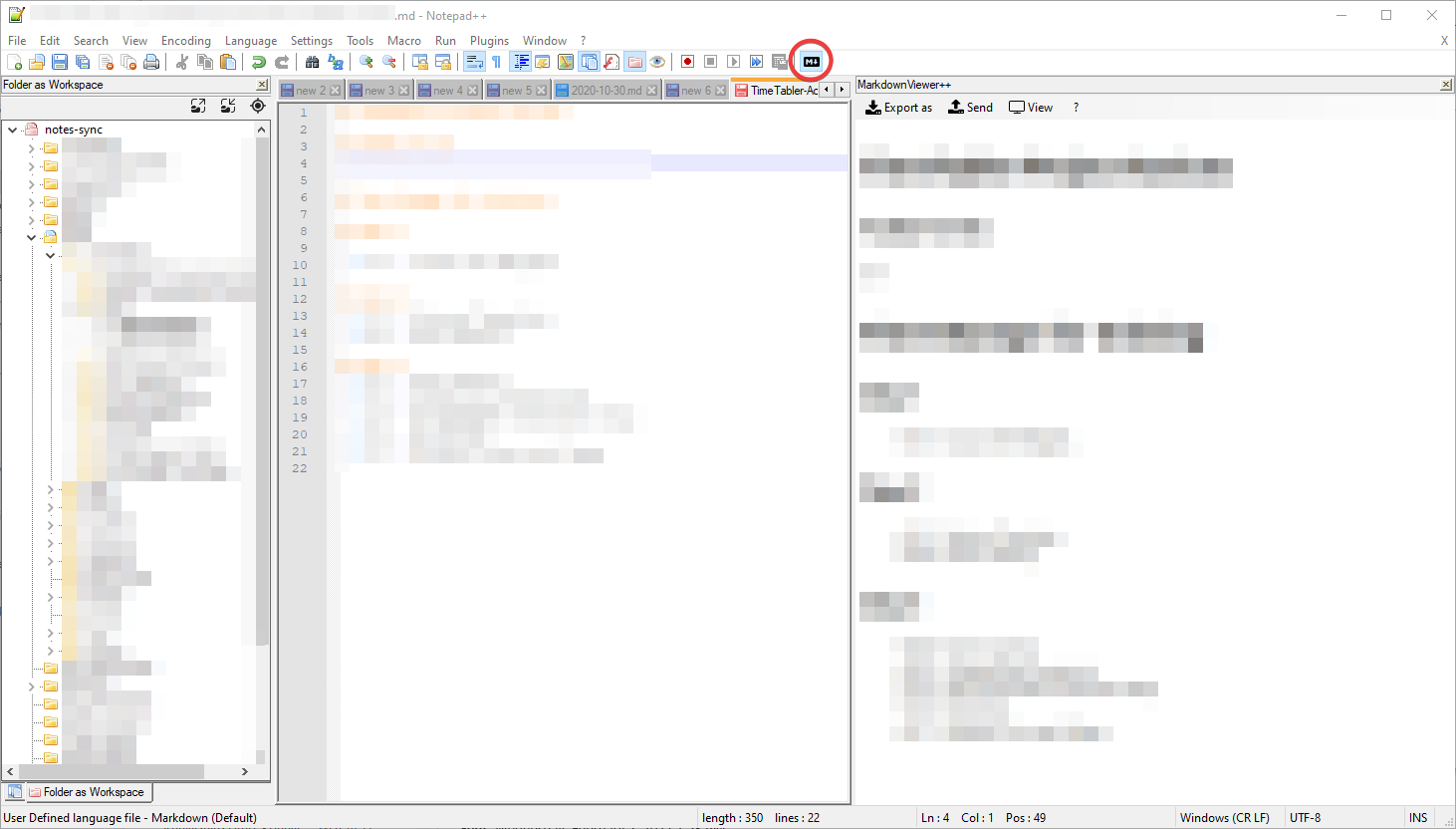
My final tweak was to enable the Folder as Workspace feature and point it at my Markdown Notes directory. This allows me to easily pop around my notes folders and see/edit files.
To enable viewing of the rendered markdown, click the M {downarrow} button that appears in the menu bar. You can see the final configured interface below.
Pros
If you use Notepad++ regularly, then you know it is a very powerful application with oddles of functionality. If you work with a bit of markdown, then having more markdown functionality within Notepad++ saves you time switching from program to program.
Notepad++ is fast, and a really light weight application.
The MarkdownViewer++ plugin allows you to copy/paste or export/save formatted content into HTML or PDF formats for easy sharing of formatted work.
Cons
In the Folder as Workspace feature, you cannot create folders or files.
The MarkdownViewer++ plugin does not appear to provide a live preview.
The MarkdownViewer++ plugin Synchronize Scrolling feature does not appear work.
Workarounds
To create files and folders you can do the following:
To refresh your preview of the document, click the M {downarrow} button.
| # | By | Comment | Post Date | Likes |
|---|